











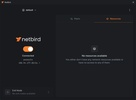

NetBird is a VPN app that connects your Mac to a NetBird infrastructure through encrypted tunnels based on WireGuard. With it, you'll have access to other devices on your network, as well as to internal servers or services, whether you work with NetBird Cloud or manage a self-hosted server.
How to authorize your Mac for the first time
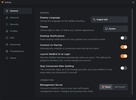
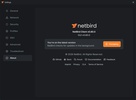
As soon as you open NetBird, a welcome dialog will point to the menu bar icon and ask whether you prefer NetBird Cloud or a self-hosted deployment, for which you must first enter the corresponding management URL. The main button opens the browser to complete authorization with your organization's SSO provider, although there is also the option of an access key, which is considerably more convenient when you need to register multiple computers in a row. Once authorized, the Mac will be registered as a peer within the network, and the assigned NetBird IP address will appear.
Peers and egress routes at a glance
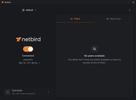
The main window alternates between a compact view and an advanced one that displays the peers and resources available on the network. Each peer can be opened in detail to review its status, address, routes, and connection metadata, and the resources section can help you quickly locate what's accessible without getting lost among all the devices. The exit node selector redirects traffic through another computer when the configuration permits, or returns to the direct connection as soon as it's deselected.
Network profiles and advanced settings
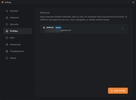
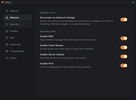
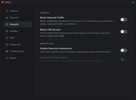
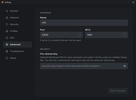
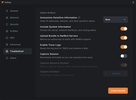
Switching between different connection profiles is useful if you work with more than one NetBird organization or environment at a time, without having to reconfigure anything every time you switch contexts. Within the advanced settings, you'll find the routing, DNS, and IPv6 controls, designed for those who need to fine-tune exactly how the traffic passing through each tunnel behaves.
My experience with NetBird
I left the default server during the initial setup and pressed the connect button, which opened the browser to complete the login via SSO without any further complications. With the device already authorized, I accessed the peer details to check the address and available routes, and I observed how the menu bar icon changed color according to the connection status. I switched between two different profiles I had configured, one with NetBird Cloud and the other with a self-hosted server, and in both cases the switch occurred without having to close or restart the app.
What I liked most about NetBird and what could be improved
· What I liked the most: shortcuts to various connection settings, including connecting and disconnecting from the VPN.
· What I would improve: more options are needed to automate the connection and manage complex profiles directly from the client without relying so much on the external administration panel.
Download NetBird for macOS to connect your Mac to NetBird private networks over WireGuard, with menu bar management, peer and resource views, independent profiles, and routing, DNS, and IPv6 controls.
NetBird is for you if
✓ You need secure, encrypted access from your Mac to internal servers and private resources
✓ You value managing VPN connections from the menu bar with clear peer and resource views
✓ You prefer flexible profiles and granular route, DNS, and IPv6 controls across multiple organizations

























Comments
There are no opinions about NetBird yet. Be the first! Comment